I kept saying 'We’ll figure it out later' — this screen recording trick finally got us on the same page
Have you ever tried explaining a work task to someone only to realize they’re completely lost? Or struggled to show a family member how to fix a tech issue over the phone? We’ve all been there. Words often fall short. But what if you could just *show* them—exactly what you see, in real time? That’s where personalized screen recordings quietly changed everything for me. It wasn’t some flashy app or high-tech upgrade. It was simply hitting record on my screen, talking through a task, and sending a 90-second clip. And suddenly, the confusion stopped. No more repeating myself. No more frustration. Just clarity. This small shift didn’t just save time—it brought me closer to the people I care about and work with. Let me tell you how.
The Moment It Hit Me: Communication Broke Down
I remember the exact moment I realized how broken our communication had become. I was on a video call with my younger sister, who works in education and had been asked to update her classroom management software. She was stressed—new school year, tight deadlines, and now this tech update. I thought I was helping when I said, “Just click the little gear in the top right.” But then I saw her hesitate. “Which one?” she asked. “There are three.” I tried again. “No, not that one—the one next to the bell icon.” Her screen looked different. Maybe it was a different version. Maybe she was logged in wrong. I didn’t know. My voice got sharper. Hers got quieter. We both felt it—this growing wall between us, built from mismatched screens and mismatched understanding.
Later that week, a similar thing happened at work. A colleague kept making the same formatting mistake in our team reports. I’d explained it twice—in an email, then in a meeting. She nodded each time, smiled, said she got it. But the error came back. Again. And again. I started to wonder: was I not explaining clearly? Was she not paying attention? Or was the problem something deeper—something about how we were trying to share knowledge in the first place? That’s when it hit me: talking wasn’t working. Reading wasn’t working. We needed a way to *show*, not just tell. We needed to be on the same visual page—literally.
Why Talking Isn’t Enough in a Visual World
We live in a world full of screens. Our work, our learning, our communication—it all happens through interfaces. Menus, buttons, drop-downs, pop-ups. Yet, we still rely on old-school methods to explain them: talking, typing, hoping the other person imagines the same thing we do. But here’s the truth: people don’t see what you see. Even if you describe something perfectly, their screen might look different. Their software version might be updated. Their anxiety might make them miss a step. And once confusion sets in, it spreads fast.
Research backs this up. A study from the University of Minnesota found that people remember only about 10% of what they hear after three days. But when visuals are added—like seeing exactly where to click, what to select, how a menu opens—retention jumps to 65%. That’s not just a small improvement. That’s the difference between someone getting it right the first time and needing to ask again, and again, and again. It’s the difference between confidence and confusion. Between feeling supported and feeling left behind.
And it’s not just about memory. It’s about trust. When someone says, “Just do this,” and you can’t find the thing they’re talking about, it’s easy to feel like you’re not smart enough, not tech-savvy enough, not good enough. But the truth is, it’s not you. It’s the method. We’re asking people to navigate complex digital spaces using only words—like giving someone driving directions without a map. Of course they’ll get lost. That’s why we need tools that match how we actually learn: by seeing, by doing, by experiencing.
How Screen Recording Became My Secret Tool
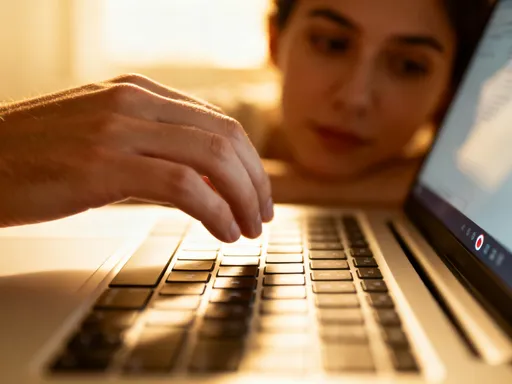
I didn’t start using screen recordings because I was a tech expert. I started because I was tired—tired of repeating myself, tired of seeing people struggle, tired of feeling like I wasn’t really helping. The first time I tried it, I was helping my mom set up her new email account. Instead of walking her through it over the phone—“Now click ‘Settings,’ no, not there, the little wheel…”—I recorded my screen. I opened my email, clicked around, talked through each step in my normal voice, and sent her a link. “Here’s what I see,” I said. “Just follow along.”
She called me back five minutes later. Not with a question. With a thank you. “I did it,” she said. “It was so clear.” That was the moment I realized I wasn’t just sharing information—I was sharing understanding. The recording didn’t get frustrated. It didn’t rush. It didn’t assume she knew what a “drop-down menu” was. It just showed her, step by step, exactly what to do. And because it had my voice, it felt like I was right there with her.
That’s when I started using recordings for everything. Work tasks. Family tech help. Even quick reminders for my partner before a meeting. Instead of long emails or confusing text threads, I’d send a short clip. Under two minutes. Clear. Calm. Personal. The back-and-forth stopped. The confusion faded. And people started saying things like, “I watched your video and figured it out before I even called you.” That’s when I knew: this wasn’t just a productivity hack. It was a connection tool.
Personalization: The Hidden Power of Simple Recordings
What makes screen recordings so powerful isn’t the technology. It’s the humanity behind them. Anyone can record a screen. But when *you* do it—when you use your voice, your pace, your tone—that’s when it becomes something more. It becomes personal. It becomes care.
Take my mom. She gets nervous with technology. When I explain things over the phone, I can hear her stress. But when she watches a recording, she can pause. Rewind. Watch it again. No pressure. No fear of asking the same question twice. And because it’s my voice—soft, calm, familiar—she relaxes. She listens. She learns. I’ve even started adding little phrases like, “You’ve got this,” or “Don’t worry, this part looks tricky but it’s easy.” Those aren’t just words. They’re emotional support.
With my team, I adjust the pace. For someone new, I slow down. For someone who just needs a reminder, I speed up. I don’t edit out the little mistakes—like clicking the wrong tab once—because it shows that it’s okay to make errors. That learning is part of the process. And because I’m not live, I can take my time to explain things clearly, without interruptions. The recording becomes a patient teacher, available anytime. But it’s still *me*—just the best version of me, the one who’s calm, clear, and kind.
Real-Life Moments Where It Changed Everything
I’ll never forget the night before my nephew’s college application was due. He called, panicked. “I can’t find the upload button,” he said. “I’ve been searching for 20 minutes.” I didn’t jump on a call. I didn’t type a long message. I opened the portal, recorded my screen, walked through the entire process, and sent him a link. “Watch this,” I texted. “Then try it.” Ten minutes later, he replied: “Done. Thank you.” No stress. No tears. Just a simple clip that saved the night.
At work, one of my teammates told me she watched my onboarding video three times before asking a single question. “I didn’t want to bother you,” she said. “But your recording made it so easy to follow.” That hit me. She didn’t feel lost. She didn’t feel dumb. She felt empowered. And I hadn’t lifted a finger that day—my recording was working for me, helping her, even while I was asleep.
Even my partner uses them. Before client calls, he watches my quick clips on how to share his screen or mute his mic. “I don’t want to fumble in front of them,” he says. “Your video makes me feel prepared.” These aren’t just about fixing tech issues. They’re about building confidence. About reducing anxiety. About saying, without words, “I’ve got your back.”
How to Start: Simple, Private, and Human
Here’s the best part: you don’t need any special tools. No expensive software. No fancy setup. Both Mac and Windows have built-in screen recording features. So do most smartphones. On a Mac, it’s Shift+Command+5. On Windows, it’s the Game Bar (Windows+G). On an iPhone, you can enable screen recording in the Control Center. That’s it. No learning curve. No downloads.
Start small. Pick one task that you explain often—like logging into a portal, attaching a file, or setting up a password. Record yourself doing it. Speak naturally, like you’re sitting next to the person. Keep it under two minutes. Name the file clearly—“How to Upload the Report – Sarah” or “Setting Up Email – Mom.” Then share it via a secure link. Most cloud services like Google Drive or Dropbox let you create a shareable link with view-only access. No need to post anything online. No risk of privacy leaks.
The key isn’t perfection. It’s presence. Don’t worry if you stumble over a word. Don’t re-record because you clicked the wrong thing. Real life isn’t perfect—and that’s okay. What matters is that you’re showing up, in your voice, in your way, saying, “I care enough to make this easy for you.” That’s what people remember.
Beyond Work: Strengthening Bonds One Clip at a Time
What started as a work tool has become a way I connect with the people I love. I recorded a step-by-step guide for my cousin on how to use a budgeting app. She’s been trying to manage her finances better, and instead of overwhelming her with advice, I showed her—calmly, clearly—how to set up her categories, track her spending, and review her progress. She told me she watches it every week before she updates her numbers. “It feels like you’re right here with me,” she said.
I’ve made clips for friends navigating medical portals—how to book appointments, upload forms, check test results. For someone facing health challenges, tech stress is the last thing they need. A simple recording can remove that burden. Even for happy moments, I’ve started using them. Last month, I made a birthday video for my sister—not with balloons or music, but with a screen recording of a shared photo album. I scrolled through pictures, paused on favorites, added little voice notes: “Remember this trip?” “You were so happy here.” She said it was the most thoughtful gift she’d received in years.
These recordings have become keepsakes. Not just instructions. Not just fixes. But moments of care, preserved. In a world where we text fast, reply late, and often misread each other’s tone, a screen recording with a familiar voice feels like a hug. It says, “I see you. I know this is hard. And I’m here to help.”
Small Tech, Deep Connection
Screen recording didn’t make me a tech genius. It didn’t turn me into a video producer. But it did make me a better communicator. A better teacher. A better friend. A better daughter. It helped me stop saying, “We’ll figure it out later,” and start saying, “Here, let me show you.”
The best part? It didn’t take more time. It saved it. And in the moments it did take, I was more present than ever. No distractions. No multitasking. Just me, focusing on making something clear for someone I care about. That focus—that intention—is what changes everything.
Technology often gets praised for being fast, smart, or flashy. But the tools that truly matter are the ones that help us connect. That carry our voice, our care, our patience into the lives of others. A screen recording is just a clip of your screen. But what it really is? A moment of love, made visible. And sometimes, that’s exactly what someone needs—not a solution, but the quiet certainty that they’re not alone.